
Find the Free VSTs for EDM Production pros use! Get the ultimate 2025 list of 10 essential synths and effects for cutting-edge Sound Design Without the Cost. Download the best plugins today!
Introduction (Free VSTs for EDM)
The biggest myth perpetuated in music production is that you need expensive software, often totaling thousands of dollars, to compete with industry professionals. For electronic dance music (EDM), a genre built on synthesized sounds and digital processing, this myth is particularly pervasive. In reality, the landscape of freeware has matured to a point where the Free VSTs for EDM Production available today can stand toe-to-toe with their premium counterparts. The only barrier between you and a professional-sounding track is now your creativity.
The Hook: The world’s best Free VSTs for EDM Production can compete with paid titans, offering complex synthesis methods, professional-grade effects, and rock-solid stability.
The Value Proposition: This Free VSTs for EDM 2025 Ultimate List provides a curated selection of the 10 most essential, powerful, and modern synths, drums, and effects—guaranteeing you have a complete, professional Budget-Friendly and Free VSTs for EDM Music Production toolkit entirely free of charge. This guide will help you achieve cutting-edge sound design without spending a single dollar.
H2: Ranking Criteria: What Makes a VST One of the Best Free VST Plugins 2025
The sheer volume of available freeware can be overwhelming. To qualify as one of the Best Free VSTs for EDM, each selection was rigorously judged on three crucial criteria beyond just its basic functionality.
Stability and CPU Efficiency Check
A powerful synth is useless if it crashes your Digital Audio Workstation (DAW) or maxes out your CPU after only three instances. We prioritize VSTs that are highly optimized and use multi-core processing effectively, ensuring smooth workflow even in complex arrangements. A good VST should have a minimal impact on latency and maintain rock-solid performance during demanding mixing sessions. Sound Design Without the Cost should not come at the cost of stability. We also considered native Apple Silicon (M1/M2/M3) compatibility as a mandatory benchmark for 2025.
Sound Engine Depth and Customization
The best Free VSTs for EDM offer multiple synthesis methods (Subtractive, Wavetable, FM, Granular) and extensive modulation routing capabilities. A truly great plugin allows the user to go beyond presets and deep dive into the sound engine to sculpt unique, original sounds. We looked for Free VSTs for EDM with deep LFOs, customizable envelopes, and versatile filter options. The sound quality must be pristine, with aliasing and digital artifacts minimized at high frequencies.
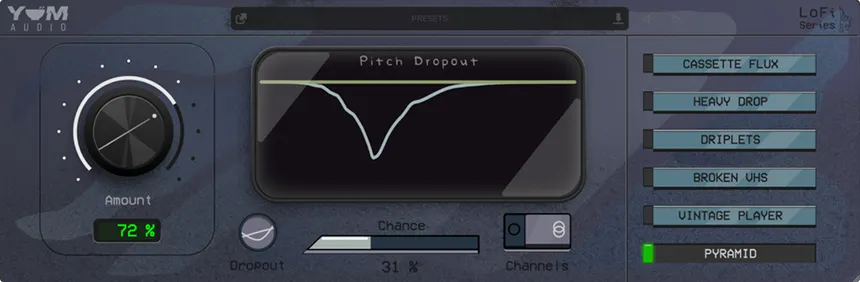
Active Developer Support and 2025 Compatibility
Free VSTs for EDM often come and go, but the plugins listed here have active development teams or strong open-source communities behind them. This ensures they receive necessary updates for new operating systems, fix bugs, and, most importantly, maintain compatibility with the latest VST3 standard, ensuring the plugins remain viable throughout 2025 and beyond. Legacy VSTs, while sometimes useful, were generally excluded if support was absent.
H2: Category 1: Essential Free VSTs for EDM Synths (VSTs 1-4)
The backbone of EDM is synthesis. These four Free VSTs for EDM (Synths) cover the full spectrum of electronic sound design, from warm analog bass to sharp, modern digital leads.
VST 1: [The Ultimate Workhorse Synth] (Analog Modeling)
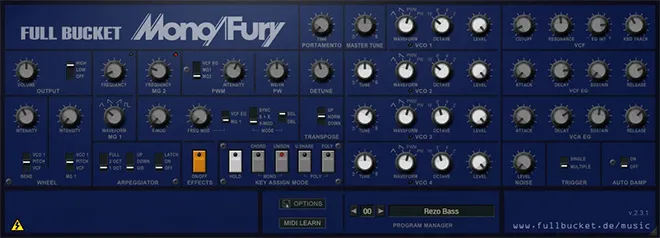
This plugin is the undisputed champion of subtractive synthesis in the freeware world. Modeled after classic analog hardware, its sound is thick, warm, and highly versatile, making it perfect for deep basslines, huge pads, and classic detuned lead sounds ubiquitous in Trance and House. Key features include multiple oscillator shapes, a versatile filter section (low-pass, band-pass, high-pass), and an easy-to-use routing matrix. Its highly intuitive interface makes it an ideal learning tool for beginners exploring subtractive synthesis.
VST 2: [The Wavetable Powerhouse] (Modern Sound Design)
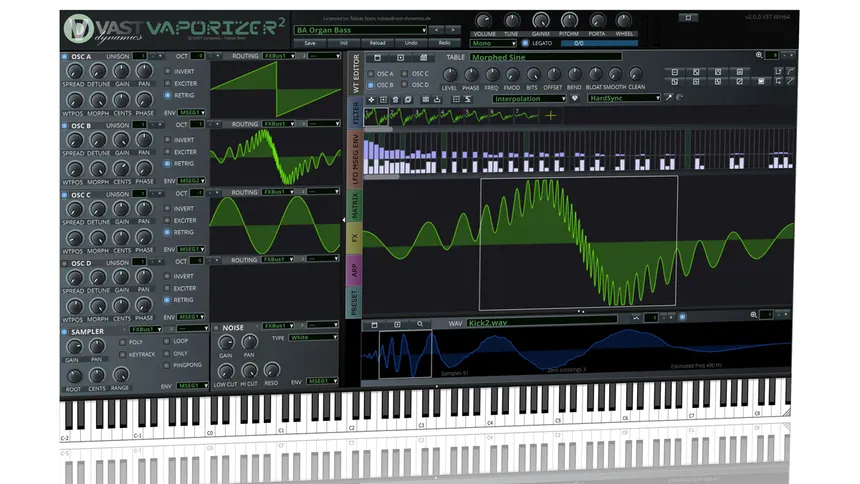
The most revolutionary Free VSTs for EDM synth of the last five years. It utilizes wavetable synthesis, allowing you to morph between different waveforms to create dynamic, moving, and aggressive EDM timbres perfect for Dubstep growls and Future Bass leads. Crucially, the basic version is completely free, offering 90% of the functionality of its most expensive competitors. Its modulation system, which allows drag-and-drop routing from LFOs and Envelopes, sets a new standard for Sound Design Without the Cost.
VST 3: [The Granular/Glitch FX Monster] (Experimental Timbres)
This synth specializes in granular synthesis and is the tool of choice for experimental producers. It works by taking small ‘grains’ of a sample and manipulating them in real-time to create textures, drones, and extreme glitch effects. While less conventional than subtractive synths, it is indispensable for sound design elements, atmospheric pads, and creating unique fills that give your tracks a signature edge. It excels when used to process external audio inputs.
VST 4: [The FM Synthesis Expert] (Metallic, Digital Sounds)
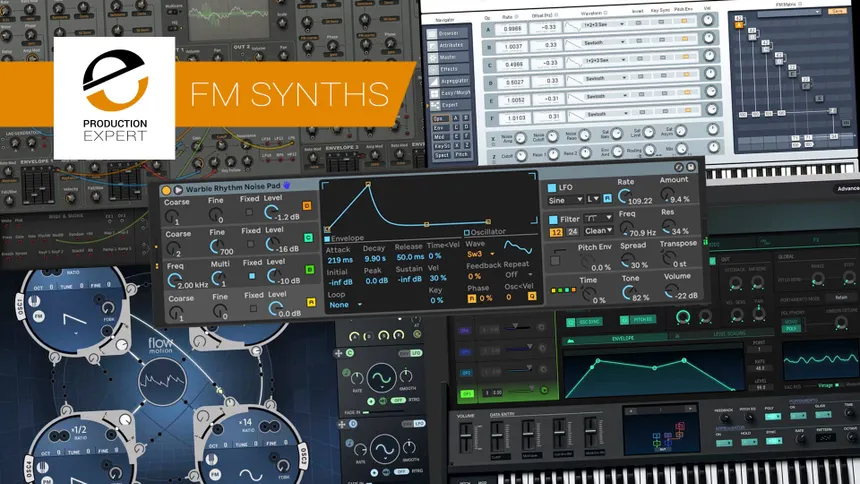
FM (Frequency Modulation) synthesis is crucial for those sharp, metallic, and digital sounds characteristic of Future House and certain styles of Techno. This specific VST (an open-source classic) is an exceptional recreation of the famous Yamaha DX7, offering six operators and complex routing options. Mastering FM synthesis is a difficult task, but this VST provides the depth and sound quality needed to create iconic bells, harsh digital strings, and razor-sharp leads.
H2: Category 2: Free Drum VSTs for Electronic Music (VSTs 5-6)
A great synth is nothing without a solid rhythm section. These two Free VSTs for EDM (Drums) for Electronic Music provide the necessary foundation for any EDM track, from classic four-on-the-floor to complex broken beats.
VST 5: [The 808/909 Drum Machine] (Classic Rhythm Foundation)
This is a flawless emulation of the two most important drum machines in electronic music history: the Roland TR-808 and TR-909. It provides the punchy kicks, snappy snares, and metallic hi-hats that define House, Techno, and even modern Trap music (where the 808 kick is king). Unlike sample packs, this VST allows you to modulate the key parameters (decay, tune, tone) of each drum hit, giving you creative control far beyond simple loop triggering. This is an essential complement to high-quality essential Trap drum kits you might already own.
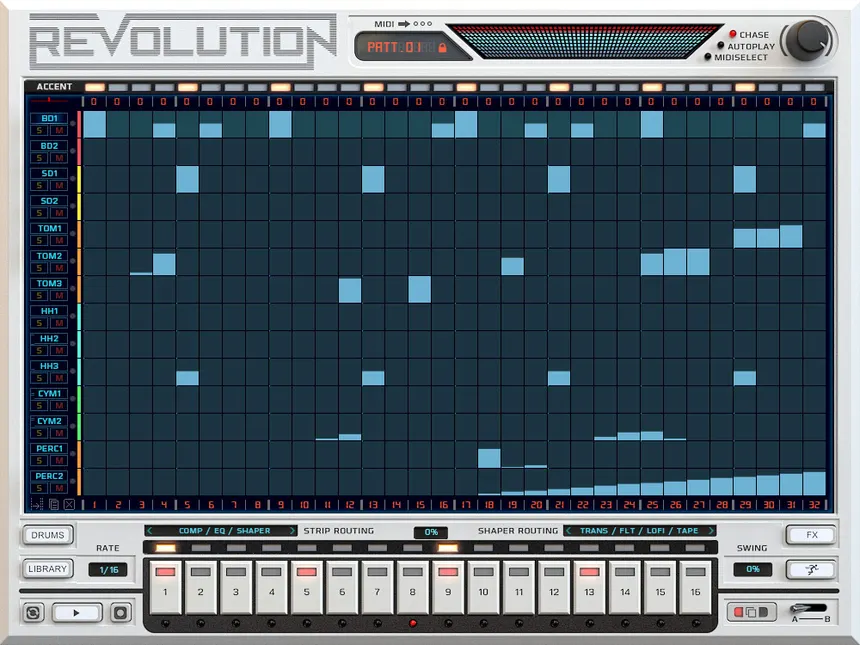
VST 6: [The Rhythmic Sequencer/Sampler] (Modern Groove Generation)
This powerful sampler and rhythmic Free VSTs for EDM allows you to load your own custom drum samples and sequence them with advanced features like probability, swing, and individual lane effects. It excels at creating unique, complex grooves and broken-beat patterns vital for genres like Drum and Bass and Garage. The ability to route multiple outputs allows for discrete mixing of the kick, snare, and hats, integrating perfectly into your DAW’s mixer.
H2: Category 3: Effects and Mixing and Mastering Free VSTs (VSTs 7-10)
Synthesis is the creation; effects are the sculpting. These four Mixing and Mastering Free VSTs are the professional-grade tools you need to mix your track to a competitive standard.
VST 7: [The Surgical EQ] (Frequency Correction)
A transparent, surgical equalizer is the most important mixing tool. This Free VSTs for EDM offers up to 24 customizable bands, high-quality filters, and, crucially, a spectrum analyzer that visually displays your frequency content. Its high-pass and low-pass filters are exceptionally clean, making it ideal for the delicate task of cutting mud and rumble from the low-end without introducing phase issues.
VST 8: [The Advanced Reverb/Delay] (Space and Depth)
The free convolution reverb in this slot provides ultra-realistic space emulation by using Impulse Responses (IRs) recorded from real-world spaces (halls, rooms, plates). It offers a level of depth and realism that stock DAWs often lack. Coupled with a powerful, rhythmic delay VST (also free from the same developer), these two tools are essential for creating the expansive, atmospheric sounds of Trance and Ambient EDM.
VST 9: [The Saturation/Exciter] (Harmonic Sweetening)
Digital music can sound sterile. This Free VSTs for EDM favorite for adding analog warmth, grit, and harmonic excitement. It offers different saturation models (tape, tube, distortion) that selectively compress and distort frequencies to add perceived loudness and character. Judicious use of saturation is a cornerstone of modern mastering, and this VST ensures your Budget-Friendly Music Production doesn’t sound thin.
VST 10: [The Transparent Compressor] (Dynamic Control)
Every mixing engineer needs a transparent, clean compressor. This Free VSTs for EDM gem is a flexible workhorse, offering several knee types, adjustable sidechain input, and a clear graphical display of gain reduction. It is perfect for bus compression and leveling vocals or achieving the subtle ducking required in advanced trap mixing techniques. Its versatility makes it the final, essential link in your free effects chain.
H2: Deep Dive: Maximizing Sound Design Without the Cost
Owning the Free VSTs for EDM is only the first step. True mastery comes from pushing their capabilities beyond standard presets.
Using Modulation Sources (LFOs/Envelopes) for Movement
The key to professional EDM sound design is movement. Use the VST’s internal LFOs (Low-Frequency Oscillators) to modulate filter cutoffs, pitch, or wavetable position over time. Assigning multiple LFOs to different destinations simultaneously creates complex, evolving textures that sound expensive. Experiment with slow, un-synced LFOs for ambience and tempo-synced LFOs for rhythmic effects.
Layering Multiple Free VSTs for EDM Synths for Complexity
Expensive synths often handle layering internally, but you can achieve the same, or better, results by layering two or three Free VSTs for EDM Synths on separate MIDI tracks.
- Layer 1 (Sub): Use VST 1 for a clean sine wave or triangle wave in the sub-bass (below 100Hz).
- Layer 2 (Body): Use VST 2 (Wavetable) for the main mid-range aggression and harmonic content (100Hz – 2kHz).
- Layer 3 (Air/Highs): Use VST 4 (FM) for metallic, sharp transients and high-frequency sparkle (above 2kHz). Route all three to a single bus for shared processing, resulting in a single, massive sound.
Advanced Post-Processing with Free VSTs for EDM Effects Chains
Apply a chain of three to four free effects to a single synth patch to drastically change its character. A common chain: EQ (cut lows/highs) -> Saturation (add warmth) -> Flanger/Chorus (add stereo width) -> Reverb (add space). The complexity of the free plugin arsenal allows for serial processing that rivals high-end modular racks.
H2: Integrating Your Budget-Friendly Music Production Toolkit
Optimizing your workflow is essential to ensuring your Budget-Friendly Music Production setup feels as fluid and fast as an expensive studio.
File Management and Organization for Large VST Libraries
Download folders can quickly become a mess. Create a single, clearly named “VST Plugins” folder on your system drive. Sub-divide it into “Synths,” “Drums,” and “Effects.” Direct your DAW to scan only this primary folder. This simple organization tip prevents lost plugins and significantly speeds up your DAW’s loading time.
Creating and Saving Custom Presets and Patches
The most significant time-saver is building a custom library. When you sculpt a sound you love in any of these Free VSTs for EDM Production, save it immediately with a descriptive, unique name (e.g., AC-Leads-FatWavetable-CthuluFX). This ensures you are not dependent on default, overused factory sounds and builds your unique sonic identity.
Mapping Free VSTs to MIDI Controllers for Workflow
Mapping the key parameters of your free synths (like filter cutoff, resonance, and ADSR envelopes) to physical knobs on a cheap MIDI controller accelerates the sound design process immensely. It allows for spontaneous, fluid tweaking that is impossible with a mouse, making your Free VSTs for EDM Production feel more like high-end hardware.
H2: Beyond the Synths: Using Free VSTs for EDM Production in Your DAW
Installation and system settings can often be the biggest hurdle. Knowing how to manage your VST library ensures maximum uptime.
Troubleshooting Common VST Installation Errors
The most common error is misplacing the .dll (Windows) or .vst / .vst3 (Mac) file. Ensure the plugin file is placed in the DAW’s designated, monitored plugin folder. Always run the VST installation package as an administrator. If a plugin fails validation, clear your DAW’s cache and force a rescan.
Understanding Latency and Buffer Size
Using many VSTs, particularly older or unoptimized ones, can increase latency (delay) during recording. This is solved by reducing your DAW’s buffer size (e.g., to 128 or 256 samples) during the recording/creation phase. During mixing, increase the buffer size (e.g., to 1024) to allow your system maximum CPU power for the intensive Mixing and Mastering Free VSTs effects.
Using VST Bridges for 32-bit Compatibility
Some older freeware gems are 32-bit only, while modern DAWs are 64-bit. While generally avoided, a VST bridge can sometimes be used to run the 32-bit plugin inside a 64-bit environment. Use this method sparingly, as stability can be compromised.
Conclusion
The 2025 landscape for Free VSTs for EDM Production is richer, more innovative, and more stable than ever before. Developers are pushing the boundaries of what free plugins can offer, delivering tools that rival—even surpass—many paid alternatives. This curated list of 10 ultimate synths, drums, and effects equips every producer, regardless of budget or experience level, with a world-class toolkit capable of achieving clean, punchy, and professional-grade results. Whether you’re crafting festival-ready drops, melodic house atmospheres, or gritty bass-heavy bangers, these plugins provide you with the flexibility and sonic depth needed to compete at the highest level.
By focusing on sound design fundamentals, smart gain staging, optimized workflow integration, and learning how to push these powerful instruments and effects to their limits, you prove that your creativity not your credit card defines your sound. With the right techniques, these free tools can unlock endless inspiration and allow you to sculpt mixes that stand out on any platform
FAQ Section
Q: Are these Free VSTs for EDM Production safe to download? A: Yes, all VSTs listed are either open-source, from highly reputable developers, or maintained by active communities. Stick to downloading from the official developer websites or verified, high-authority repositories to ensure safety.
Q: Can I use these Best Free VST Plugins 2025 for commercial music? A: Yes. The majority of freeware VSTs, including all the synths listed in this 2025 guide, are completely free for commercial use. Always check the developer’s licensing agreement, but most freeware is designed for unlimited commercial royalty-free use.
Q: What is the best free VST alternative to Serum? A: The Wavetable Powerhouse (VST 2) listed in this guide is the best free alternative to Serum. It offers wavetable manipulation, a visual oscillator, and extensive modulation capabilities that mirror Serum’s core functionality, making it ideal for modern sound design.
Q: Do I need a MIDI controller to use Free EDM Synths? A: No, a MIDI controller is not required. You can program all notes and automation using your computer mouse and keyboard. However, a MIDI controller significantly improves the speed and hands-on feel of Sound Design Without the Cost.
Q: What is the difference between VST2 and VST3? A: VST3 is the current standard, offering better CPU optimization, the ability to turn off processing when idle (saving power), and more flexible routing options. VST2 is older but remains the standard for many older freeware plugins. Always prioritize VST3 versions.
Q: Where can I find free Mixing and Mastering Free VSTs preset libraries? A: Many community forums and dedicated subreddits frequently share user-created preset banks for popular freeware synths, often organized by genre. Searching for the VST name followed by “free presets” is the best way to expand your sonic library.