
Shopping for a music production computer in late 2026 feels unfair. Two years ago, $1,000 bought a machine with 32GB of RAM and room to spare. Today the same budget often gets you half that memory, because AI data centers are swallowing the world’s DRAM supply and leaving producers to fight over the scraps.
Here is the good news. You can still build a fast, stable, crash-free studio for under $1,000. You just have to buy smarter than everyone else.
This guide breaks down how much memory you really need, which seven machines deliver the most power per dollar right now, and the workflow tricks that make 16GB feel like 32GB. Whether you make trap, Afrobeat, amapiano or film scores, you will finish knowing exactly which music production computer to buy and which expensive mistakes to dodge.
What Is the RAM Crisis and Why Should Producers Care?
Before you compare any music production computer, you need to understand why prices look so strange. The memory shortage is not a normal sales cycle. It is a structural shift that will shape every music production computer purchase for a while.
How AI Demand Drained the Memory Market
The three big memory makers, Samsung, SK hynix and Micron, have moved huge amounts of production capacity to high-bandwidth memory (HBM) for AI accelerators. HBM is far more profitable than the ordinary DRAM that goes into laptops and desktops.
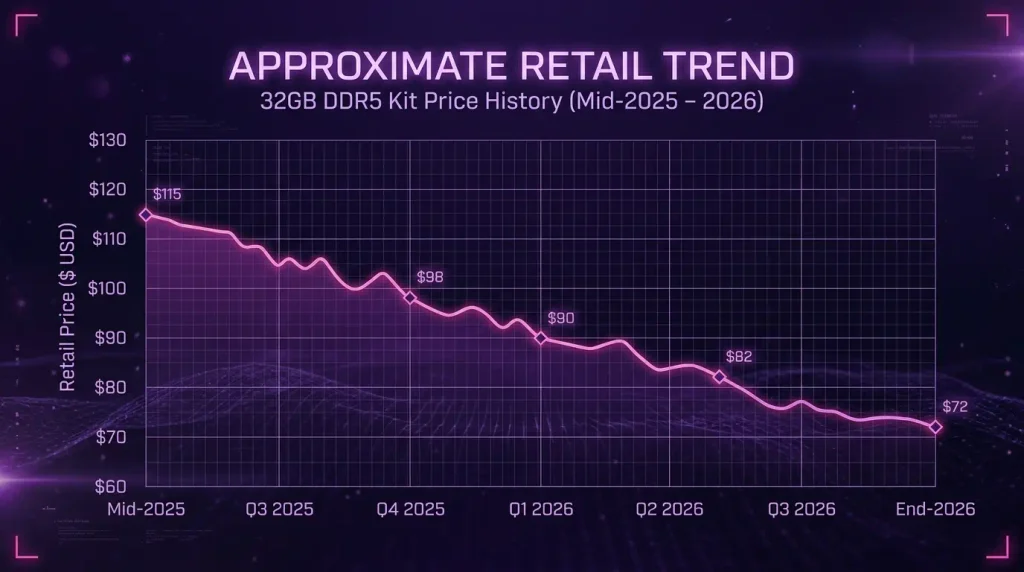
The result is simple supply and demand. Less wafer capacity for regular DRAM means fewer chips for consumer PCs. Contract prices climbed sharply quarter after quarter from late 2025 into 2026, as shown in memory price tracking from TrendForce. Micron even announced it would wind down its Crucial consumer brand to focus on data center customers.
What It Did to Retail Prices
At the peak, a 32GB DDR5 desktop kit that sold for roughly $90 in mid-2025 was listed at $300 or more. DDR4 followed, because manufacturers were already phasing it out.
PC makers reacted in two ways:
- Raising prices on the same configurations they sold a year earlier.
- Shrinking specs, quietly shipping 8GB or 16GB base models to hit familiar price points.
The second tactic is the dangerous one for producers. A laptop sold as a music production computer can look like a bargain until you notice it has 8GB of soldered memory that can never be upgraded.
Why Audio Work Feels It First
Gamers mostly need a strong graphics card. Video editors need GPU power and storage. Producers need RAM and single-core CPU speed above everything else.
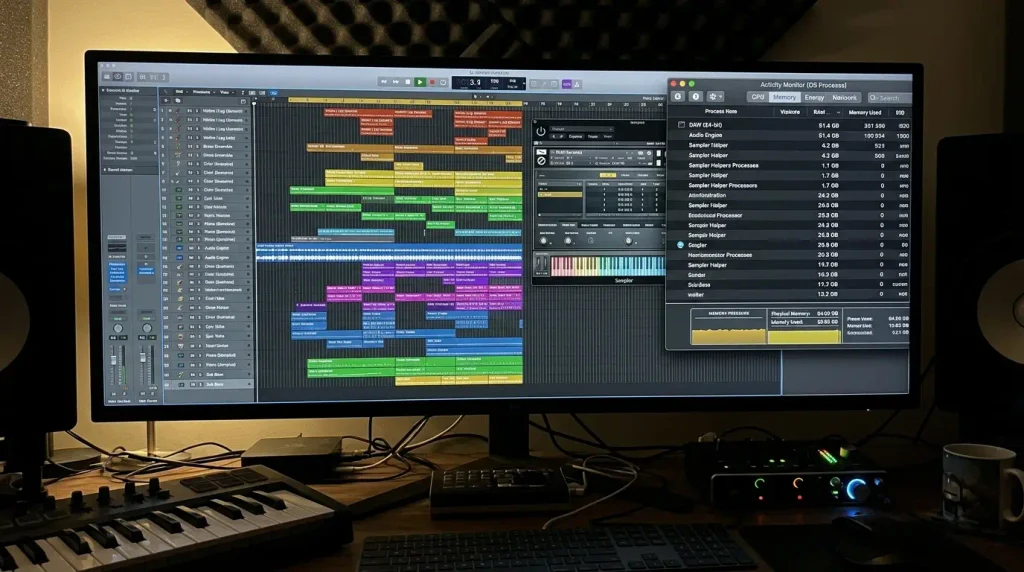
Every sample library, every instance of a synth like Serum or Omnisphere, and every open plugin window lives in memory. When you run out, your system starts swapping to disk, and that is when you hear clicks, pops and dropouts. In a music production computer, RAM is the one spec you cannot cheap out on, and right now it is the most expensive part of the machine.
How Much RAM Does a Music Production Computer Need in 2026?
This is the question that decides your entire music production computer budget. Get it right and a mid-range machine feels like a flagship. Get it wrong and nothing else you buy will save you.
8GB: The Trap to Avoid
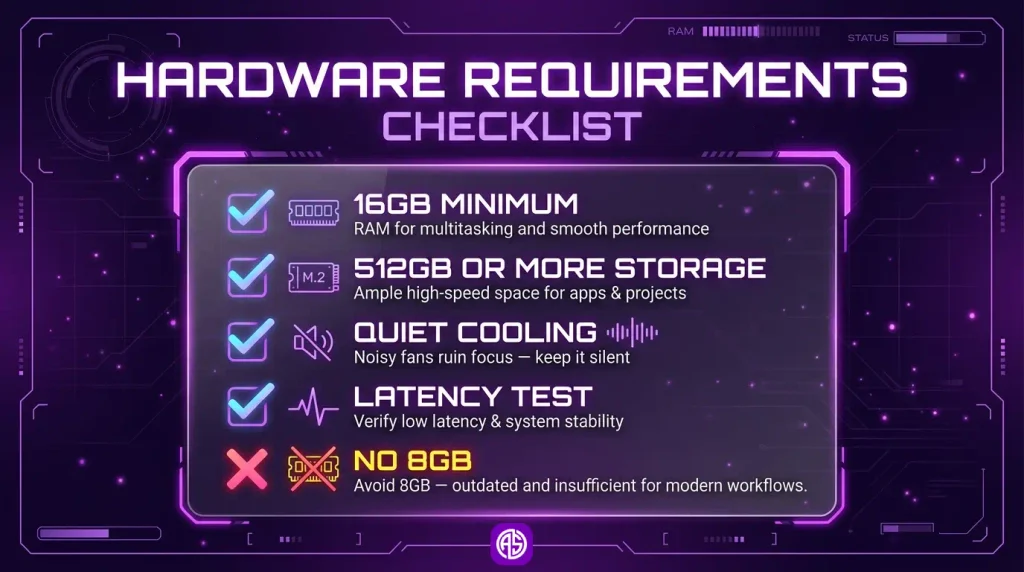
8GB is not enough for modern production. Your operating system, browser and DAW can consume most of it before you load a single instrument. You might survive simple loop-based beats, but you will hit a wall the moment you layer a few sample-based instruments.
Treat any music production computer with 8GB as a red flag, no matter how good the price looks.
16GB: The Realistic Minimum
16GB is the true floor for a music production computer in 2026. It comfortably handles beatmaking, vocal recording and mixing sessions of 30 to 60 tracks with stock plugins and a handful of synths.
On Apple silicon, 16GB stretches further than you might expect. macOS compresses memory aggressively, and the internal SSD is fast enough that light swapping is rarely audible. That said, swap is not free, so heavy users should still aim higher.
32GB: The Sweet Spot for Heavy Sessions
32GB is where you stop thinking about memory. It handles large orchestral templates, multiple Kontakt libraries, long mixing sessions and stem-heavy arrangements without a fight.
If your music production computer can reach 32GB within budget, especially on an upgradeable Windows machine, do it. It is the single best way to future-proof your studio.
RAM Requirements by Producer Type
| Producer Type | Typical Session | Minimum RAM | Recommended RAM |
|---|---|---|---|
| Beatmaker (trap, drill, Afrobeat) | Loops, drum kits, 10 to 30 tracks | 16GB | 16GB to 24GB |
| Singer-songwriter | Vocals, guitars, light plugins | 16GB | 16GB |
| Mixing engineer | 40 to 100 tracks, heavy plugin chains | 16GB | 32GB |
| Film and orchestral composer | Large sample libraries, big templates | 32GB | 64GB |
| Live performer | Ableton sets, backing tracks | 16GB | 16GB to 32GB |
Quick rule: Buy 16GB if you make beats or record vocals. Buy 32GB if you mix big sessions or use orchestral libraries. Never buy 8GB.
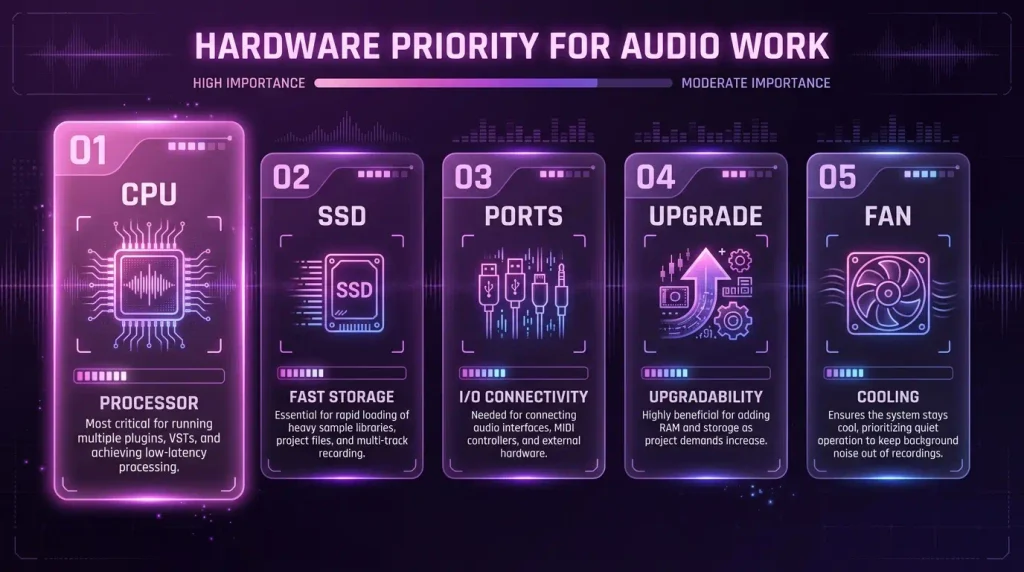
The 5 Specs That Matter More Than Brand Names
Memory gets the headlines, but four other specs decide whether a music production computer actually feels good in the studio. Here is what to check after RAM.
Single-Core CPU Speed
Real-time audio processing leans heavily on single-thread performance. A long chain of plugins on one track usually runs on one core, so a chip with fast individual cores beats a chip with many slow ones.
Modern Apple M-series chips, AMD Ryzen 7000 and 9000 parts and recent Intel Core processors all deliver excellent single-core speed. You do not need a top-tier CPU in a music production computer.
Fast NVMe Storage
Sample libraries stream from your drive, so storage speed matters more than most people think. Aim for an NVMe SSD and at least 512GB of internal space, with 1TB being ideal.
If your internal drive is small, a fast external NVMe enclosure over USB 3.2, USB4 or Thunderbolt is a perfectly good home for sample libraries.
Silence and Thermals
A noisy fan ruins vocal takes and makes critical listening harder. Small, fanless or near-silent machines are a real advantage for any music production computer that lives in the same room as your microphone.
Ports and Low Audio Latency
Make sure your music production computer has enough USB ports for your audio interface, MIDI keyboard and storage. On Windows, run a free tool called LatencyMon to check for driver problems that cause dropouts. Most audio glitches on Windows come from bad drivers, not weak hardware.
A Real Upgrade Path
Apple machines are sealed. What you buy is what you keep. Desktop PCs and many mini PCs let you add RAM and storage later, which is a huge advantage when memory prices are high today but may fall next year.
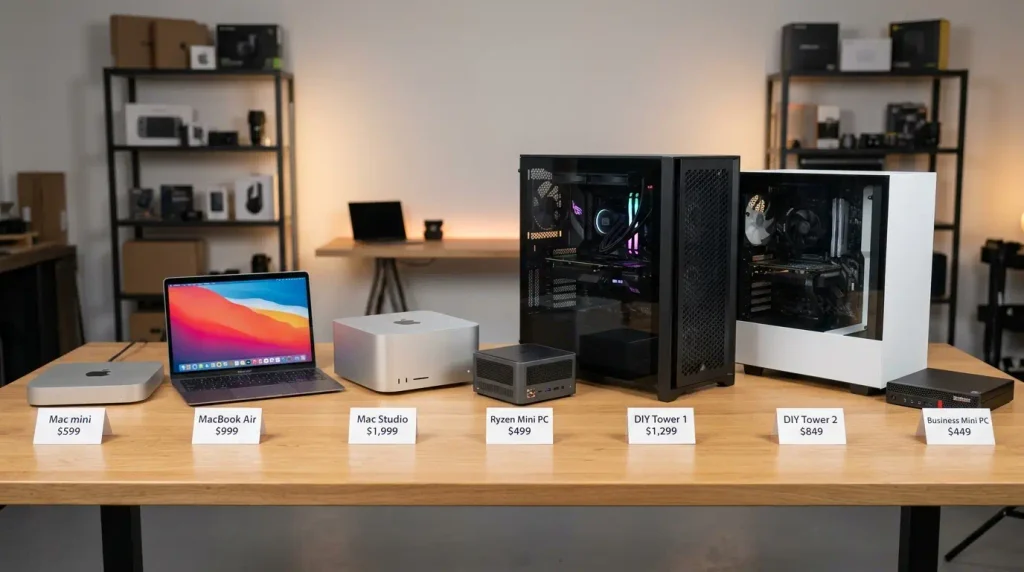
The 7 Best Music Production Computer Picks Under $1,000
Every music production computer below meets our minimum standard: at least 16GB of RAM, SSD storage, quiet operation and proven stability with major DAWs. Prices are typical ranges at the time of writing and move constantly during the shortage, so always check before you buy.
Quick Comparison Table
| # | Computer | RAM | Typical Price | Best For |
|---|---|---|---|---|
| 1 | Apple Mac mini (M4) | 16GB | $599 to $799 | Best overall value |
| 2 | Apple MacBook Air (M4) | 16GB | $799 to $999 | Portable producers |
| 3 | Refurbished Mac Studio (M1 Max) | 32GB | $850 to $1,000 | Most RAM per dollar on Mac |
| 4 | Ryzen mini PC | 32GB | $650 to $900 | Compact Windows studio |
| 5 | DIY AM4 tower | 32GB | $600 to $750 | Lowest cost 32GB tower |
| 6 | DIY AM5 tower | 32GB | $850 to $1,000 | Future-proof upgrades |
| 7 | Refurbished business mini PC | 16GB to 32GB | $300 to $500 | Tight budgets |
1. Apple Mac mini (M4, 16GB) – Best Overall Value
The base Mac mini is the easiest music production computer recommendation in this guide. It ships with 16GB of unified memory, a 10-core M4 chip and near-silent cooling, starting at $599. You can confirm every configuration in the official Mac mini tech specs.
Because Apple set its memory pricing before the shortage peaked, the Mac mini became one of the best values in computing almost by accident. Spend the money you save on a 1TB external NVMe drive for samples.
- Pros: Silent, tiny, excellent single-core speed, runs Logic Pro, Ableton Live and FL Studio natively.
- Cons: RAM and storage cannot be upgraded later, and the base 256GB drive fills quickly.
- Upgrade tip: If your budget stretches to about $999, the 24GB and 512GB configuration is the best long-term Apple buy under $1,000. If a newer M5 generation model is available at a similar price, the same advice applies.
2. Apple MacBook Air (M4, 16GB) – Best Portable Pick
If you need one machine for the studio, the classroom and the tour van, the MacBook Air is it. It has 16GB of memory as standard, no fan at all and battery life that easily lasts a full session. It launched at $999 and is often discounted closer to $800.
The fanless design means it can slow down slightly during very long, heavy renders. For tracking, beatmaking and mixing, you will rarely notice.
- Pros: Completely silent, portable, great screen and speakers for sketching ideas.
- Cons: Few ports, so you will likely need a USB-C hub for your interface and drives.
3. Refurbished Mac Studio (M1 Max, 32GB) – Best RAM Per Dollar
This is the secret weapon of the RAM crisis. The used and refurbished market is full of first-generation Mac Studio units with an M1 Max chip and 32GB of memory, often selling between $850 and $1,000.
That is double the memory of a new Mac mini, plus more ports and a stronger multi-core chip. For composers and mixing engineers who live in big sessions, it is the strongest Mac music production computer under $1,000.
- Pros: 32GB unified memory, excellent ports, very quiet under load.
- Cons: Older chip, single-core speed below the M4, and you must buy carefully (see our used market checklist below).
4. Ryzen Mini PC (32GB DDR5) – Best Compact Windows Option
Mini PCs built on AMD Ryzen 7 8000-series processors, from brands like Beelink and Minisforum, pack laptop-class power into a box smaller than a hardback book. Many models ship with 32GB of DDR5 and a 1TB SSD, and they use standard SO-DIMM slots you can upgrade later.
Prices for these machines rose during the shortage, so expect roughly $650 to $900. If you can find a barebones kit and already own compatible RAM, you can save serious money.
- Pros: Upgradeable memory and storage, small footprint, strong multi-core power.
- Cons: Fan noise varies widely between models, so read noise reviews and run LatencyMon on day one.
5. DIY AM4 Build (Ryzen 7, 32GB DDR4) – Best Budget Tower
The AM4 platform is old, but that is exactly why it is smart in 2026. Motherboards are cheap, used DDR4 kits are widely available, and a Ryzen 7 still crushes real-time audio.
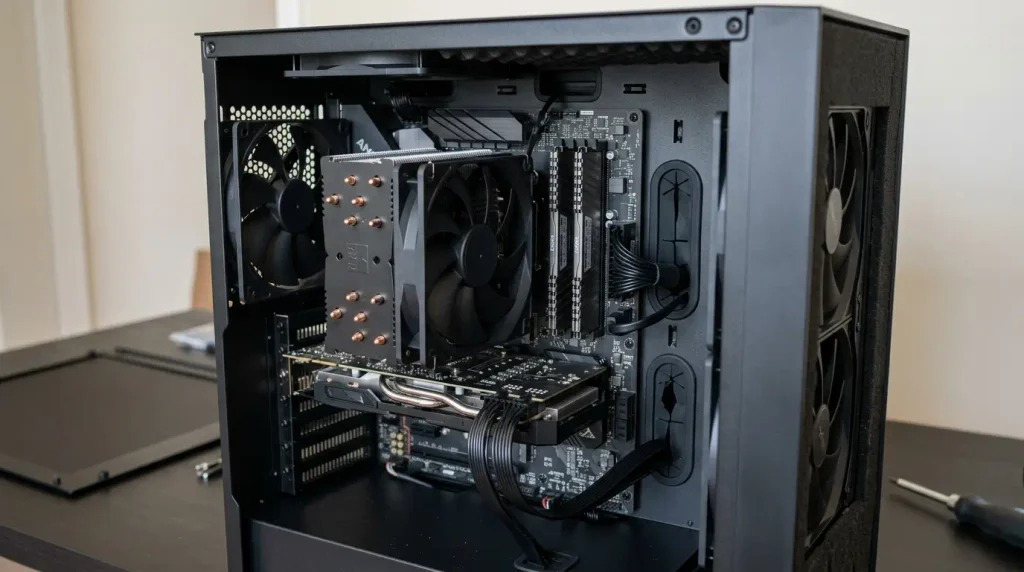
A sample parts list:
- CPU: Ryzen 7 5700G (built-in graphics, so no graphics card needed)
- Motherboard: B550 board with good reviews for stable USB
- RAM: 32GB DDR4-3200 (2 x 16GB, new or used)
- Storage: 1TB NVMe SSD
- Cooler: Large, low-RPM tower air cooler
- Case and PSU: Sound-dampened case and a quality 550W power supply
Expect around $600 to $750 depending on DDR4 and SSD prices.
- Pros: Cheapest path to 32GB, quiet if built right, every part replaceable.
- Cons: Dead-end platform, so future CPU upgrades are limited.
6. DIY AM5 Build (Ryzen 5, 32GB DDR5) – Best Future-Proof Build
If you want a music production computer that grows with you, the AM5 platform is the answer. A Ryzen 5 7600 or 9600 delivers outstanding single-core speed, includes basic integrated graphics and drops into a motherboard that AMD continues to support.
DDR5 is the expensive part right now, so this build sits closer to $850 to $1,000. The payoff is an upgrade path: drop in a faster CPU or more memory later when prices settle.
- Pros: Modern platform, fast single-core performance, long upgrade runway.
- Cons: DDR5 pricing pushes the total close to the limit of a $1,000 budget.
7. Refurbished Business Mini PC (Intel 12th or 13th Gen) – Best Under $500
Companies refresh office computers every few years, and those machines flood the refurbished market. Models like the Lenovo ThinkCentre Tiny or Dell OptiPlex Micro with Intel 12th or 13th Gen Core i5 or i7 chips are compact, very quiet and built to run all day.
Many ship with 16GB of DDR4 SO-DIMM memory that you can upgrade to 32GB cheaply with used sticks. At $300 to $500, this music production computer leaves plenty of budget for monitors and an interface.
- Pros: Very low cost, reliable business-grade hardware, upgradeable.
- Cons: Limited ports and older chips, so it suits beatmaking more than giant orchestral sessions.
Mac vs Windows: Which Music Production Computer Platform Wins on a Budget?
There is no universal winner, but the RAM crisis has shifted the balance. Here is how to decide.
Where Apple Silicon Shines
Apple machines are silent, stable and power-efficient. Core Audio handles low-latency recording without extra drivers, and the hardware and software are tuned together. At the entry level, a Mac currently delivers more usable memory per dollar than most new Windows laptops.
Where Windows Wins
Windows gives you choice and upgradeability. You can add RAM next year, swap a drive or replace a CPU. That flexibility is valuable when memory is overpriced today but might be cheaper tomorrow. Windows also has a deep library of older plugins that never got Mac versions.
Be Careful With Windows on ARM
Some new budget laptops use Qualcomm Snapdragon ARM chips. They are efficient, but many audio interface drivers, copy protection systems and older plugins still do not run reliably on them. Unless your entire toolchain is confirmed to support ARM, choose an Intel or AMD Windows machine.
Match the Machine to Your DAW
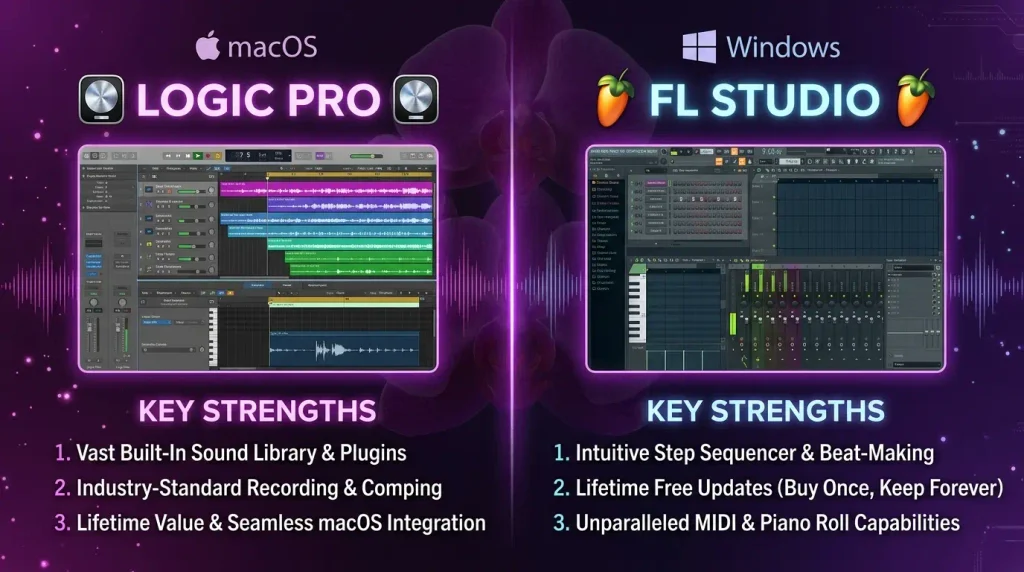
Your DAW should drive the platform choice. Logic Pro runs only on Mac, while FL Studio, Ableton Live and Reaper run on both. Our FL Studio vs Ableton vs Logic breakdown will help you pick. Always check the official minimums too, such as the FL Studio system requirements, before you commit.
New, Refurbished or Used: Smart Buying Strategies for the RAM Crisis
When new hardware is overpriced, the smartest producers shop sideways. Here is how to get more machine for the same money.
Apple Certified Refurbished
The Apple Certified Refurbished store sells tested machines with a new battery (on laptops), a new outer shell and the same one-year warranty as new products, usually at about 15 percent off. It is one of the safest ways to buy a higher-memory Mac on a budget.
The Used Market Checklist
Buying a used music production computer can unlock 32GB at 16GB prices, but protect yourself:
- Confirm the exact RAM and storage in the system information screen, not just the listing.
- Check that Activation Lock is off on any Mac before money changes hands.
- Run a stress test and a long audio playback test to listen for glitches.
- Check battery health on laptops.
- Pay through a platform with buyer protection.
Buy the Memory Before Anything Else
When you set your music production computer budget, lock in the RAM first and fit everything else around it. A slightly slower CPU with 32GB will outperform a faster CPU with 16GB in sample-heavy sessions every time.
Timing Your Purchase
Memory prices move in waves. Watch for back-to-school deals, Black Friday sales and new model launches, which often push previous-generation machines into clearance. If your current music production computer still works, there is no shame in waiting a few months.
How to Stretch Every Gigabyte: RAM-Saving Workflow Tricks
Whatever music production computer you buy, these habits make limited memory go much further. They are also just good practice for faster, cleaner sessions.
Freeze and Bounce Tracks
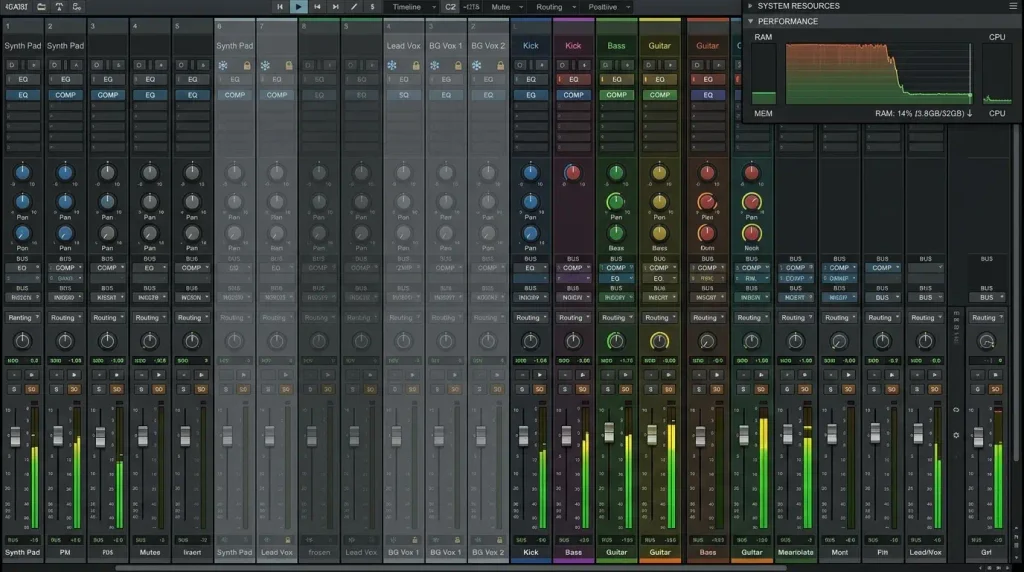
Freezing a track renders it to audio temporarily and unloads its plugins from memory. Bouncing makes that permanent. Once a synth part is written, bounce it and move on. This one habit can cut session memory use dramatically.
Use Disk Streaming in Samplers
Samplers like Kontakt load only the start of each sample into RAM and stream the rest from your drive. Lowering the preload buffer in your sampler settings trades a little SSD activity for a big memory saving, which is exactly why fast NVMe storage matters.
Purge Unused Samples
Most big libraries load every articulation by default. Use the purge or “unload unused samples” function after you finish writing a part to release memory you are not actually using.
Choose Lighter Plugins
Not every plugin needs to be a resource monster. Many efficient instruments and effects sound fantastic while using a fraction of the memory. Start with our list of lightweight free VST plugins and build from there.
Raise the Buffer While Mixing
Use a small buffer (64 to 128 samples) while recording, then raise it to 512 or 1024 samples while mixing. Higher buffers reduce CPU strain and dropouts when latency no longer matters.
Pro tip: A well-managed 16GB system that freezes, bounces and purges will often feel smoother than a messy 32GB system that keeps everything live.
Building the Rest of Your Studio on What Is Left
Your music production computer is the heart of your studio, but it is not the whole body. Here is how to spend what remains.
Monitors or Headphones First
Accurate monitoring matters more than almost any other upgrade. If you are unsure where to start, read our guide on whether to buy studio monitors or headphones first.
A MIDI Keyboard That Fits Your Workflow
A good controller speeds up writing more than any spec sheet. Our roundup of the best MIDI keyboards for beatmakers covers options at every price.
The Audio Interface
A reliable two-input interface with solid drivers is all most home studios need. Driver quality matters more than extra features, especially on Windows.
Sample Studio Budgets
| Total Budget | Computer | Interface | Monitoring | Controller |
|---|---|---|---|---|
| $1,000 | Refurb business mini PC ($400) | $150 | $300 | $150 |
| $1,500 | Mac mini M4 ($599) | $200 | $450 | $250 |
| $2,000 | DIY AM5 tower ($950) | $250 | $550 | $250 |
For a complete low-cost plan around these numbers, see our complete bedroom studio setup under $500.
5 Costly Mistakes to Avoid
These are the errors we see producers make most often when the market gets tight.
Paying for a Graphics Card You Do Not Need
Audio production barely uses the GPU. Unless you also edit video or game, integrated graphics are fine. Put that money into RAM and storage instead.
Buying 8GB to Save $200
That $200 saving often becomes a $1,000 replacement within a year. A music production computer with 8GB of memory is the most common regret we hear from new producers.
Ignoring Storage
A 256GB drive fills up fast with a DAW, plugins and a couple of sample libraries. Budget for 1TB, internal or external, from day one.
Chasing CPU Tiers Instead of Memory
A Ryzen 9 or Core i9 with 16GB is a worse studio machine than a Ryzen 5 with 32GB for most sample-heavy work. Balance matters more than bragging rights.
Skipping the Latency Test
Test every new or used Windows machine for latency spikes in the first week, while you can still return it.
Conclusion: Your Music Production Computer Game Plan
The RAM crisis has made shopping harder, but it has not made great studios impossible. It has simply rewarded producers who understand what really matters in a music production computer.
Here are the key takeaways:
- 16GB is the minimum, 32GB is the sweet spot, and 8GB is never worth it.
- The Mac mini M4 is the best overall value thanks to standard 16GB memory.
- Refurbished and used machines unlock 32GB at prices new hardware cannot match.
- DIY Windows builds offer the cheapest path to 32GB plus a real upgrade path.
- Workflow habits like freezing, bouncing and disk streaming stretch any system further.
Pick the music production computer that fits your genre, your DAW and your session size, then spend the rest on monitoring and finishing music. Ready to fill that new machine with sounds? Browse the WTMH Studio drum kits and sample packs and start your next beat today.
Frequently Asked Questions
What is the best music production computer under $1,000 in 2026?
For most producers, the Apple Mac mini with the M4 chip and 16GB of memory is the best value, starting at $599. If you need 32GB, a refurbished M1 Max Mac Studio or a DIY Ryzen tower are the strongest options under $1,000.
Is 16GB of RAM enough for music production?
Yes, for beatmaking, recording and most mixing work. Composers using large orchestral libraries or engineers mixing 80 or more tracks should aim for 32GB.
Why is RAM so expensive right now?
Memory makers shifted production toward high-bandwidth memory for AI data centers, which reduced the supply of standard DRAM for consumer PCs and pushed prices sharply higher from late 2025 onward.
Should I wait for RAM prices to drop before buying?
If your current setup still works, waiting for a seasonal sale is reasonable. If you need a machine now, buy a music production computer with enough memory today rather than a cheaper 8GB model you will soon replace.
Is a laptop or a desktop better as a music production computer?
Desktops give you more power, more ports and better upgrade options for the money. Choose a laptop like the MacBook Air only if you genuinely need to produce on the move.
Do I need a graphics card for music production?
No. Integrated graphics handle DAWs perfectly well. Spend that budget on more RAM and a bigger SSD instead.
Can I use a Windows on ARM laptop for music production?
It is risky. Many audio interface drivers, copy protection tools and older plugins still have limited ARM support. Choose an Intel or AMD machine unless every tool you use is confirmed compatible.